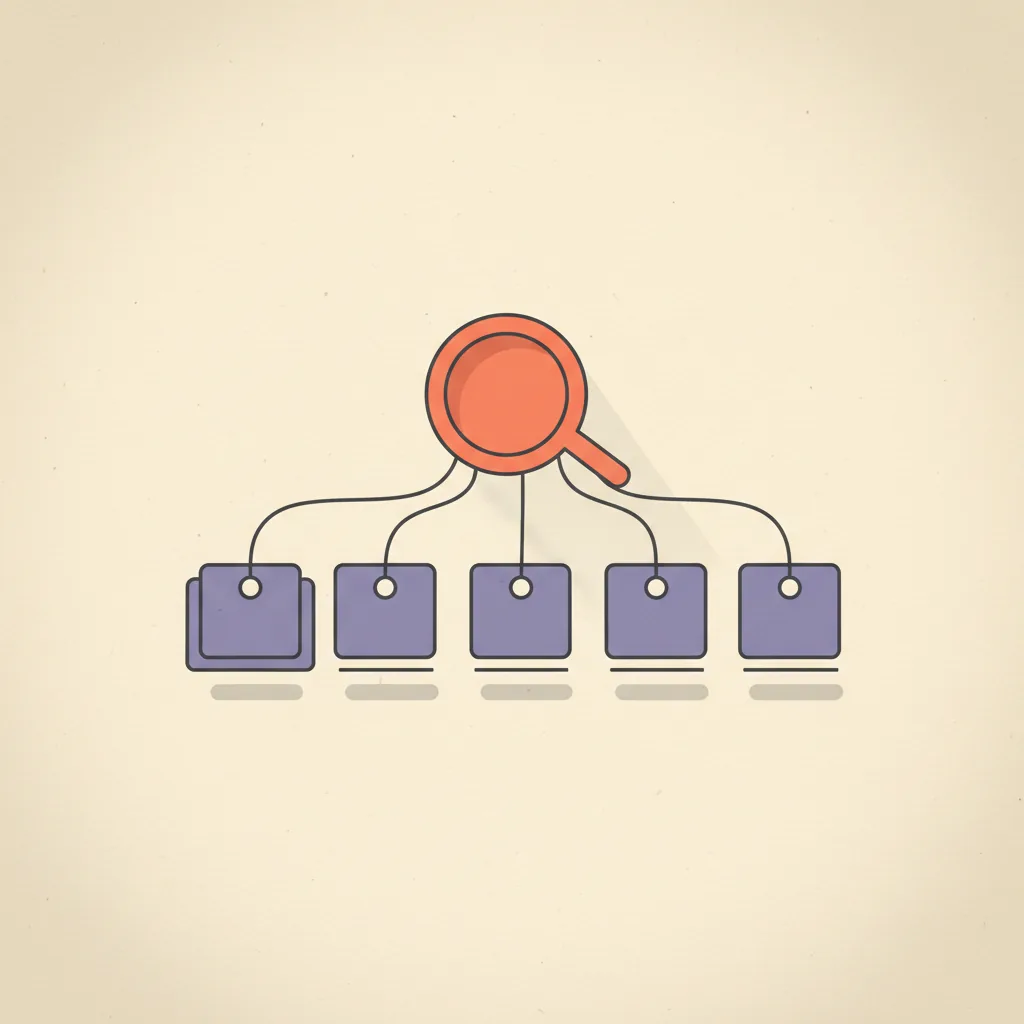
Operators looking at AI for sales pipeline ask "what AI tool should I buy?" That is the wrong question. The right question is "what is the watch loop my agent should run, and what is the playbook for what to do when it sees X?" The tool is downstream of those two answers — and once they are written down, the tool choice mostly stops mattering. A custom n8n flow, a HubSpot bundled feature, and a $1,200/seat Gong deployment all execute the same loop; they differ on price, polish, and how much of the playbook they let you author yourself.
This post is the pipeline-state-monitoring slice of AI in sales. The prospecting and outbound side is covered in our AI sales process post and best AI sales tools. The post you are reading is about agents that watch deals already in your pipeline — the ones AEs have been working for weeks, not the ones a prospecting agent just sourced.
What AI pipeline management actually does
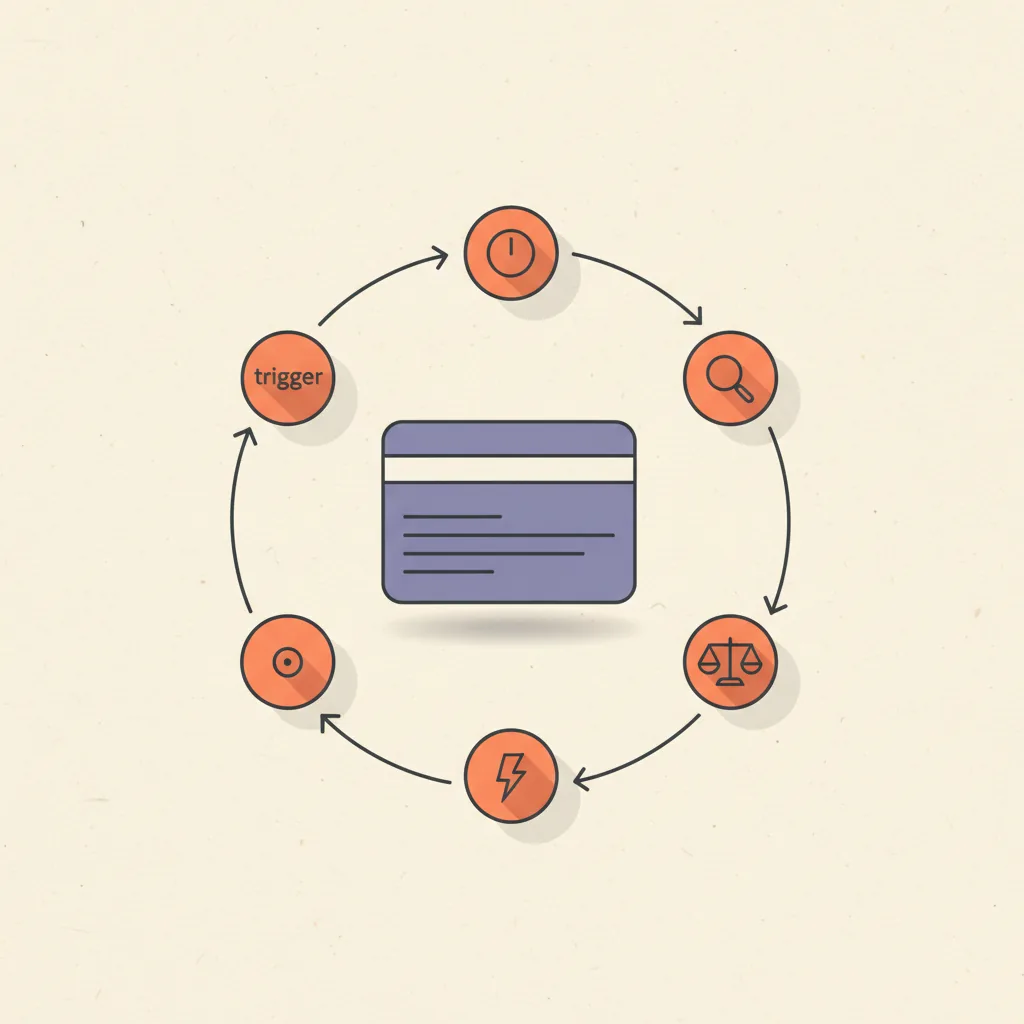
It is the same 5-step operator-loop that runs every other ops surface (see how to use AI for business operations for the cluster anchor), applied to deal records instead of email or tickets.
| Step | On a sales pipeline | Failure mode |
|---|---|---|
| 1. Trigger | Deal stalls past a stage benchmark, or a signal fires (champion stops replying, pricing page revisited, no activity in 7 days) | Trigger fires on every deal every day → alert fatigue; AEs ignore the channel within two weeks |
| 2. Context | Pull the deal record, last 90 days of activity, contacts and roles, prior emails and notes, ICP fit | Insufficient context = generic "checking in" drafts; over-fetching = slow and expensive without being better |
| 3. Decide | LLM applies the written playbook to the context: "deal in Discovery, 7 days idle, last topic was implementation timeline → draft a check-in referencing that topic" | No written playbook = whatever the model defaults to; bad playbook = consistent wrong action |
| 4. Act | Draft a follow-up email for AE review, update a CRM field, post a Slack message to the deal owner, surface to manager | Sending the draft autonomously without review is the failure that ends most projects |
| 5. Log | Write what fired, what was drafted, whether the AE sent, what the deal did next | Skipped — agent runs blind; cannot improve, cannot earn graduation to higher autonomy |
The signals an AI agent should watch for
Most pipeline-management AI fails because the trigger layer is too generic — "alert me when a deal is stuck" is not a signal, it is a lagging metric. Here is the higher-signal trigger taxonomy worth encoding into the agent.
- Deal-stage stagnation — deal sitting at the same stage past a stage-specific benchmark (Discovery > 14 days, Proposal > 21, Negotiation > 30 are typical defaults; calibrate to your historical data). Highest-volume trigger; tune the threshold per stage or it overfires.
- Stalled deals (X days no activity) — no inbound or outbound activity, no calendar events, no email opens for 7+ days. The hardcoded version of "this deal is going cold" but actually measurable.
- Multi-thread coverage drop — number of distinct contacts replying drops from week to week. Champion silence, gatekeeper drift, decision committee shrinking. Strongest leading indicator of a deal slipping a quarter.
- Momentum decay — engagement frequency (emails, meetings, doc views) declining week-over-week against the deal's own baseline. The same deal, slowing down, is more diagnostic than two different deals at the same absolute speed.
- Pricing-page or contract revisit — a contact returns to pricing, terms, or a proposal doc after the proposal was sent. Often signals an internal champion is selling internally and needs ammunition.
- Decision-maker access loss — the named decision-maker has not been on a call or thread for 14+ days, while lower-level contacts continue engaging. Classic "deal looks active but is actually dead" pattern.
Tools that ship this layer
Five categories of tooling cover the AI pipeline management surface in April 2026. All five execute roughly the same loop; they differ on price, on how much of the playbook is configurable, and on whether they bundle with your existing CRM or live alongside it.
| Tool | Price (April 2026) | Best fit |
|---|---|---|
| HubSpot AI / Sales Hub | $90/seat/mo (Sales Hub Pro); AI features bundled | Teams already on HubSpot; deal-risk flagging and auto-summary out of the box |
| Salesforce Einstein Activity Capture + Deal Insights | $50–$75/user/mo add-on | Salesforce shops with $5M+ ARR; deeper deal intelligence than HubSpot at higher cost |
| Pipedrive Pulse / AI | Bundled with $24–$59/user/mo plans | SMB sales teams on Pipedrive; lighter feature set, lower commitment |
| Default | $400–$1,500/mo total | Cleanest middleware play between forms, calendars, and pipeline-state monitoring |
| Gong Deal Intelligence | $1,200+/seat/year | Enterprise / mid-market with call recording already in place; deepest deal intelligence layer |
| Custom n8n + Claude | $20–$50/mo total | Teams comfortable with code; full playbook control and lowest cost |
How to build a custom pipeline-watch agent
The DIY build everyone underestimates. Total cost: under $50/mo. Time to first value: a weekend, plus 2–4 weeks of trigger calibration. Here is the concrete walk-through for the n8n + Claude version we ship for clients with HubSpot, Pipedrive, or a custom CRM.
- n8n flow runs on a daily cron at 7am local. Polls the CRM via API for all open deals, with last-activity timestamp, stage, age-in-stage, deal owner, primary contact, and the last 10 activity records.
- A filter step keeps only deals that match the trigger rules (stage-specific stagnation thresholds, X days of no activity, multi-thread coverage drop computed against the previous week's contact list).
- For each surviving deal, the flow gathers context: most recent meeting topic from the calendar integration, last email thread subject and summary, contact roles, and any objection logged in CRM notes.
- The deal package is sent to Claude with the playbook prompt — a system prompt that encodes your organization's rules for what to do at each stage and trigger combination, and asks for either a drafted follow-up email, a manager-review flag, or a "no action, continue monitoring" verdict.
- Claude's response is parsed: drafted emails go to a Slack channel for the deal owner with one-click "send" or "edit" actions; manager-review flags go to a separate Slack channel for sales leadership; no-action verdicts are logged silently.
- The log layer writes every trigger fire, context package size, decision, drafted output, and downstream outcome (was it sent, did the deal advance, did it close) to a Postgres table. Weekly review of the log is what graduates triggers from noisy to trusted.
We have shipped this build for clients on HubSpot, Pipedrive, Salesforce, and one custom Postgres-backed pipeline. The flow is the same; the API connector is the only thing that changes. We include this build as part of our AI Stack Audit and custom builds.
The playbook — what rules the agent uses to decide
The agent does not invent decisions. It looks up the right action in a playbook the operator wrote in plain English. The playbook is the project, not the LLM call.
| Signal | What the AI does | Human review needed? |
|---|---|---|
| Discovery stage, 7+ days idle | Draft a check-in email referencing the most recent meeting topic and proposing a specific next step | Yes — drafts go to AE for review and send |
| Proposal stage, any objection logged in CRM | Surface to manager with the objection summary; do not draft AE follow-up yet | Yes — manager triages before AE acts |
| Negotiation stage, decision-maker silent 14+ days while gatekeeper engages | Flag deal as "stuck below DM line" with multi-thread context for AE | Yes — strategic call, not a draft |
| Pricing-page revisit by champion after proposal sent | Draft a "happy to walk through it again" email plus a short FAQ snippet for the champion to forward internally | Yes — AE reviews FAQ accuracy |
| Closed-Won | Auto-update handoff fields, draft kickoff email to onboarding team | No on the field update; yes on the draft email |
| Closed-Lost | Update reason from the latest activity if missing, schedule 90-day re-engagement task | No — both are reversible bookkeeping |
The non-negotiable: every irreversible action needs an explicit human-in-the-loop row. AI that auto-sends a deal email without AE review is the failure mode that ends most pipeline AI projects within 90 days. Drafting fast and sending after a glance is the right pattern; sending autonomously is not.
What is the best AI tool to manage pipeline opportunities?
There is no single best tool — the right answer is stage-shaped. For SMB teams already on HubSpot or Pipedrive, the bundled AI features at $24–$90/seat/mo are the cheapest correct answer; the marginal lift from upgrading to Gong or Salesforce Einstein is real but rarely worth the price under $5M ARR. For mid-market and enterprise teams already on Salesforce, Einstein Activity Capture plus Deal Insights at $50–$75/user/mo is the most native option, with Gong Deal Intelligence at $1,200+/seat/year as the deeper layer when call coaching is also in scope. For teams that want full control over the playbook and lowest cost, a custom n8n + Claude flow at under $50/mo total covers most of the same surface area, at the cost of having to author the playbook yourself.
The honest take: the playbook matters more than the tool. We have seen $20/mo custom flows outperform $1,500/mo enterprise tools when the operator wrote down their rules clearly, and $1,500/mo tools underperform when the team treated them as a magic-box upgrade and skipped the rule-writing.
What is the 10/20/70 rule for AI?
The 10/20/70 rule is a McKinsey and IBM framing for AI implementation: 10% of effort on algorithms, 20% on technology, 70% on people and process change. Applied to AI pipeline management specifically: 10% on picking the model (Claude, GPT, the model bundled with your CRM all work for this surface), 20% on the integration stack (CRM API, calendar API, Slack webhook, the Postgres or Sheets log table), and 70% on the playbook and the AE habit change — writing the trigger rules, calibrating the thresholds against historical data, drafting the action templates, training AEs to review and send drafts within an hour rather than letting them age in Slack, and reviewing the log weekly to graduate trusted triggers and retire low-signal ones.
Teams that flip this ratio — 70% on tooling, 10% on process — buy a polished SaaS, watch it produce generic "checking in" drafts, see AEs ignore the channel within a month, and conclude AI does not work on pipeline. The tool was not the problem.
Common failure modes
Patterns we see when auditing pipeline AI projects that broke at the 60–90-day review:
- No playbook, just prompts — the agent gets a generic "draft a follow-up email" prompt with no organizational rules. Output is competent but indistinguishable from a junior SDR's template; AEs stop reading drafts within two weeks.
- Drafts get sent without review — someone enables an autopilot toggle to "save AE time", a draft goes out with the wrong contact name or a misread objection, the prospect responds with a complaint, sales leadership disables the entire system. Single irreversible mistake destroys quarters of trust.
- Alert fatigue from low-signal triggers — the agent fires on every deal idle for 3+ days, the Slack channel gets 40 alerts a morning, AEs mute it within a week. After that, even the high-signal alerts get ignored. Trigger calibration is not optional.
- No log layer — agent runs, drafts ship, deals close or do not — and nobody can answer "did the agent help?" Without the log, the trigger calibration loop has no input data, and the project plateaus at month one and gets quietly cancelled.
- Confusing this with prospecting AI — the team buys an AI SDR tool expecting it to manage existing pipeline, or buys deal-intelligence software expecting it to source leads. Different surfaces, different agents, different playbooks. See AI SDR for the prospecting side and this post for the pipeline side.
- Treating it as a CRM feature instead of an ops surface — clicking "enable AI" in HubSpot or Salesforce and assuming the work is done. Bundled CRM AI is a starting point; the work is the same playbook, threshold calibration, and weekly log review either way.
Where this is heading
The category is moving in three directions worth tracking through 2026:
- Cross-surface ops agents that share state across pipeline and inbox. The agent that knows the AE just replied to a separate thread with the same prospect can suppress a redundant follow-up draft. Tooling support for this is mid-2026; today it is custom-build territory.
- Trust-graduation modes shipped as first-class product features. Expect "draft only / draft + send with one-click approval / autonomous on these specific actions only" toggles to appear in HubSpot, Salesforce, and Default by Q3 2026. The discipline they encode already exists; the UI is catching up.
- Playbook authoring becoming a sales-ops job in its own right. The same way revenue ops owned dashboards in 2020 and territory automation in 2023, in 2026 sales ops at AI-forward teams owns the playbook layer that drives every pipeline agent. The companies investing in this role early are the ones whose AI pipeline projects survive past month three.
We build pipeline-watch agents and the playbook layer behind them as part of our AI Stack Audit and custom builds, often in combination with GoHighLevel or AI SDR on the prospecting side. The cluster anchor for the broader operator-side AI category is how to use AI for business operations. The CRM-platform comparison most teams need before any of this is HubSpot vs Salesforce.