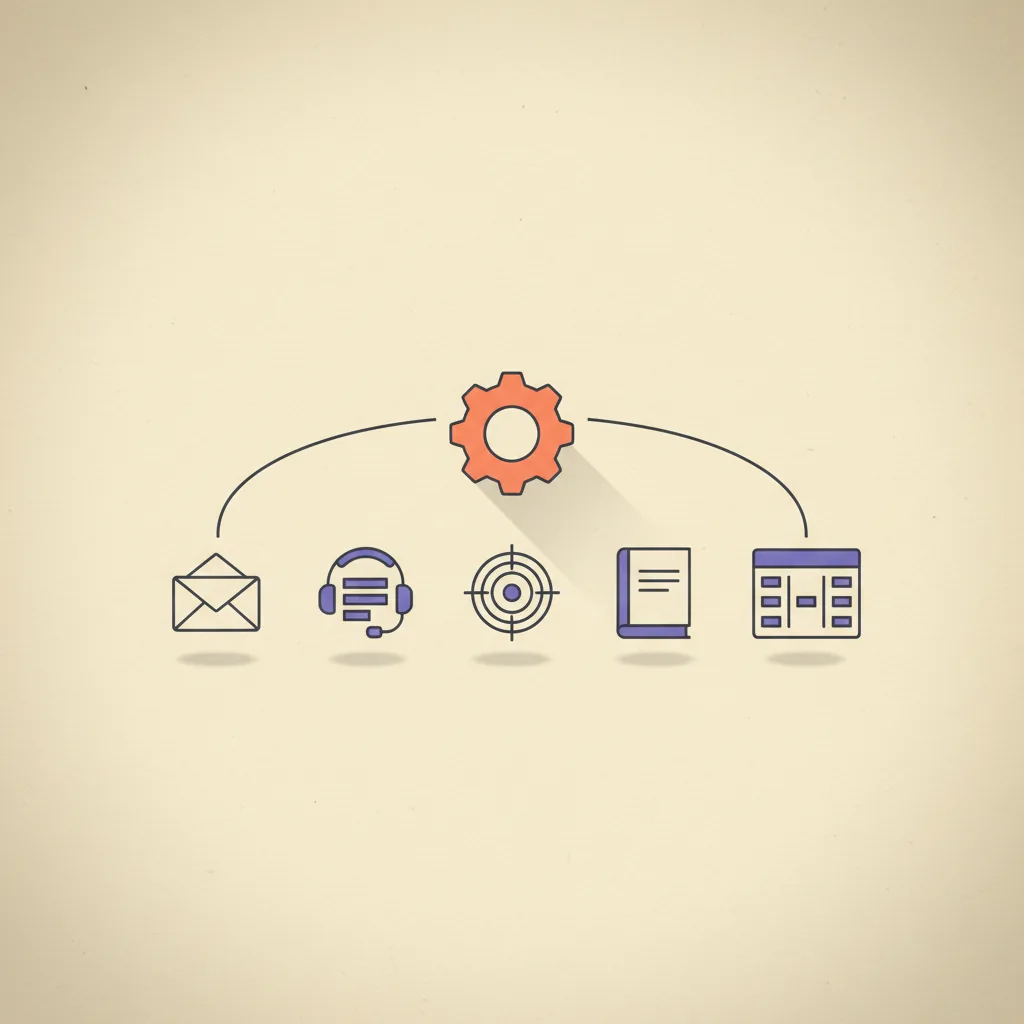
There are two kinds of AI for business in 2026, and the conversation rarely separates them. The first kind generates things — content, ad creative, cold emails, images, video. The second kind runs things — watches your inbox, manages your sales pipeline, runs your ad accounts, files your tickets, chases your unpaid invoices, surfaces blockers in your project tracker. Most coverage is on the first. Most operating leverage is in the second, because operations is rarely bottlenecked on "we need more outputs" — it is bottlenecked on "we cannot keep up with the inputs we already have".
This post maps the operator-side AI category across 6 surfaces, walks the shared architecture they all use, and lays out the build order most teams should follow. Numbers and tool picks below come from active client work and current pricing in late April 2026. The conversion target if any of this is interesting is our AI Stack Audit, which is exactly this work delivered as a service.
Creator-side AI vs operator-side AI
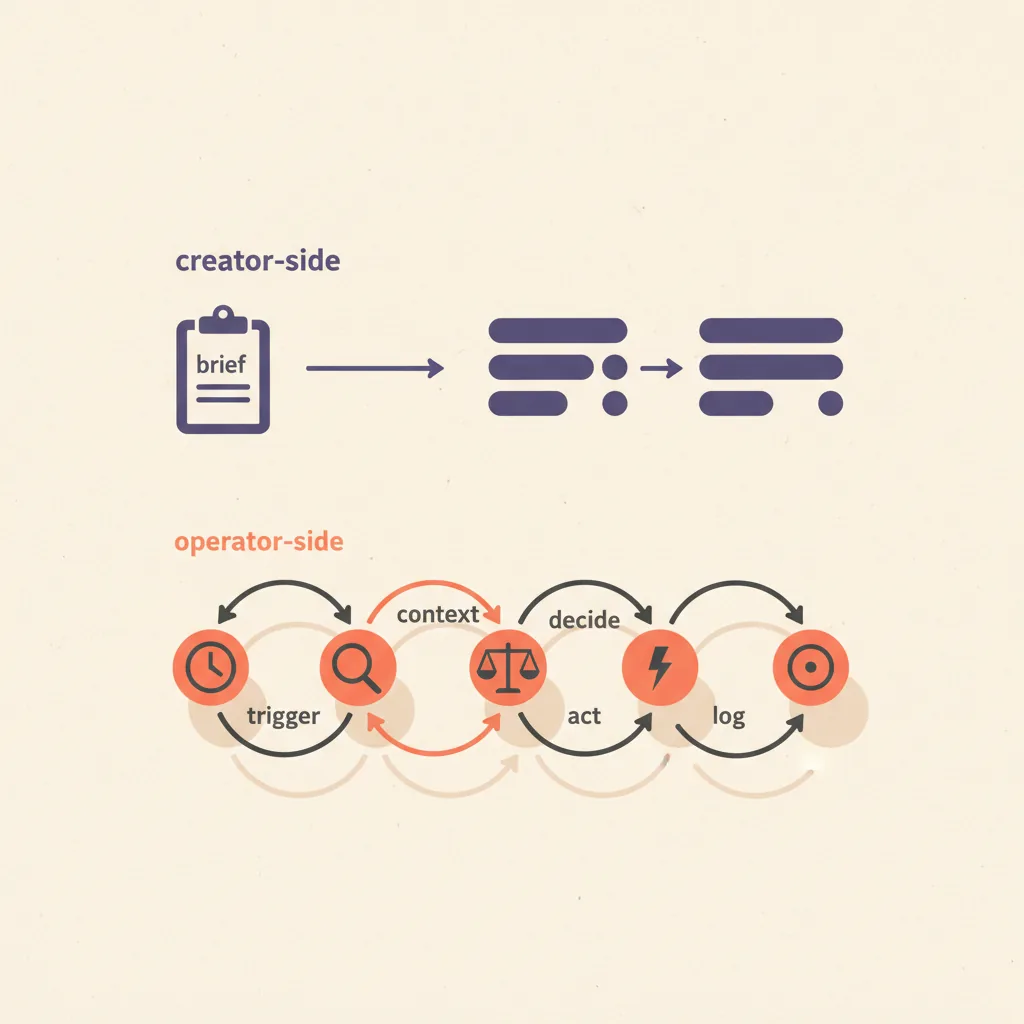
The two categories share underlying technology — same models, same APIs — but the workflow shape is fundamentally different.
| Dimension | Creator-side AI | Operator-side AI |
|---|---|---|
| What it does | Generates outputs from a brief | Watches existing systems, decides, acts |
| Trigger | Human asks for something | Event happens (email arrives, deal stalls, ticket files) |
| Output | New content / asset | Action taken / state changed |
| Failure mode | Bad output that ships | Wrong action that cannot be undone |
| Human-in-loop | Often skipped | Critical for irreversible operations |
| Where leverage compounds | Volume of outputs | Reduction in operator load per event |
| Most discussed in 2026 | Heavily | Quietly |
The shared architecture (works for every ops surface)
Every AI ops agent follows the same five-step loop. The surface determines what each step looks like, but the steps are universal.
| Step | What it does | Failure mode |
|---|---|---|
| 1. Trigger | Detect an event worth acting on (email arrived, deal hit X days idle, spend hit threshold) | Trigger fires too often (alert fatigue) or too rarely (events missed) |
| 2. Context | Gather everything needed to decide — sender history, deal data, account state | Insufficient context produces bad decisions; over-fetching wastes tokens |
| 3. Decide | LLM reasons about what to do given the context and the playbook | No playbook = generic advice; bad playbook = consistent wrong action |
| 4. Act | Execute the decision (draft reply, update CRM, pause campaign, file ticket) | Irreversible action without human review = real operational risk |
| 5. Log | Write what happened to a feedback log so the playbook can be improved | Skipped — agent runs blind, gets worse over time |
The most underrated step is step 5. An ops agent that does not log its decisions and outcomes cannot be improved, cannot be debugged, and cannot earn the trust required to graduate from "drafts and waits" to "acts autonomously". Treat the log as a first-class data store, not a console output.
Surface 1: Inbox / email operations
The highest-volume operational surface for most knowledge workers. Inbox AI in 2026 means three concrete capabilities: triage incoming mail by intent (this is a sales reply, this is support, this is a calendar request), draft replies inline that wait for human review, and take low-risk actions (file, archive, snooze, route).
- Superhuman AI — $30–$40/user/mo. Strongest premium pick; instant-reply drafts, auto-categorization, calendar-aware. Best for high-volume executives and AEs who already valued speed.
- Shortwave — $9–$25/mo. Notion-flavored email client with native AI inbox queries ("show me all unanswered customer emails older than 3 days") and inline drafting.
- Microsoft Copilot for Outlook / Google Gemini for Gmail — bundled $20–$30/user/mo. Fine for org-wide rollout where you cannot mandate a third client.
- Custom Claude inbox monitor — $10–$50/mo in API costs. Most flexible: a Cloudflare Worker or n8n flow that watches Gmail/Outlook IMAP, classifies messages, and writes drafts to a labeled folder for review. The build we ship for clients with privacy or compliance concerns.
See AI email management for the deep dive on this surface — comparison tables, decision rules, and the failure modes most teams hit in week two.
Surface 2: Sales pipeline operations
Distinct from AI for prospecting (covered in our AI sales process post). Pipeline ops is about agents that watch the deals already in your CRM, flag stalled ones, draft follow-ups, update fields, and surface manager-level signals (multi-thread coverage, momentum, decision-maker access).
- HubSpot AI / Salesforce Einstein — bundled with paid CRM seats. Deal-risk flagging, auto-summary on records, suggested next-best-action.
- Default — $400–$1,500/mo. Cleanest "AI between forms and AE calendars" play; covers qualification and pipeline-state monitoring.
- Gong / Chorus — $1,200+/seat/year. Deal-coaching layer that surfaces patterns at the deal level, not just call level.
- Custom n8n / Zapier flows — under $50/mo. The lightest pick: pull stalled deals from CRM via API, run them through Claude with the playbook prompt, draft an update for the AE.
Deeper coverage in AI pipeline management.
Surface 3: Customer support operations
Support is the surface where AI ops earned its production stripes earliest. Triage, draft replies, escalation routing, and increasingly autonomous resolution of tier-1 tickets. The discipline: never let AI close a ticket without a human review for the first 60 days, and always preserve the human escalation path for any conversation the customer flags as urgent.
- Intercom Fin — $0.99 per resolution (autonomous resolution pricing). Best autonomous ticket-resolution agent in production at scale; only pay for closes.
- Zendesk AI / Answer Bot — $50–$115/agent/mo (bundled). Deep Zendesk integration, weaker autonomy than Fin.
- Help Scout AI — $25–$65/user/mo. Best fit for SMB SaaS; AI summarization plus draft replies in the human queue.
- Ada / Forethought — enterprise. Conversational AI focused on resolution rate; better for high-volume B2C than B2B.
Coverage in AI for customer support.
Surface 4: Ad operations
Most "AI for ads" coverage is about creating the ads. The operator surface is different: managing live campaigns, shifting budget between winners and losers, pausing creatives that drift below CPA targets, scaling spend on ones that beat the rolling average. Meta and Google both ship significant autonomous capability natively now (Advantage+ Suite, Performance Max); the third-party layer is where the playbook customization lives.
- Meta Advantage+ Suite — bundled with ad spend. Autonomous campaign management for Meta; strong for DTC, weaker for B2B brand campaigns where attribution is messier.
- Google Performance Max — bundled. Same play on Google.
- Smartly.io — enterprise pricing (5-figure monthly). Cross-platform creative management plus autonomous bidding rules. Best fit for agencies and large in-house teams.
- Madgicx / Pencil — $59–$300+/mo. SMB-up autonomous bidding and creative scoring layer on top of Meta.
- Custom n8n + Meta Marketing API — ad spend + $20/mo infrastructure. Most flexible; encode the playbook in code rather than configure it in a SaaS UI.
Deeper coverage in autonomous ad management. The big distinction: scaling-the-winner and pausing-the-loser is straightforward to automate; deciding what counts as a "winner" requires the playbook to be explicit.
Surface 5: Finance operations
Bookkeeping, AR, AP, expense classification, and anomaly detection. The surface where AI cost the longest to earn trust because the cost of a wrong action is direct and dollar-denominated. In 2026, three patterns work: reconciliation and classification (AI suggests, human approves), anomaly detection (AI flags, human investigates), and AR follow-up drafting (AI drafts, human sends).
- Ramp Intelligence — bundled with Ramp card spend. Autonomous expense classification, anomaly detection, vendor consolidation suggestions.
- QuickBooks Intuit Assist — bundled with QuickBooks Online. Transaction categorization, AR follow-up suggestions, simple report queries.
- Pilot — $499+/mo. AI-assisted bookkeeping service with human accountants in the loop; the highest-trust pick for SMB.
- Booke.ai — $50+/mo. AI bookkeeping software for QBO and Xero; good fit for solopreneurs and bookkeeping firms.
- Custom Claude scripts — pull transactions from Xero/QBO API, classify with a Claude prompt that knows your chart-of-accounts, write a reconciliation report. Operator-grade for any team comfortable with code.
Deeper coverage in AI for bookkeeping. The non-negotiable: never let AI auto-pay anything. Every payable should hit a review queue.
Surface 6: Project and team operations
The newest of the six surfaces, and the most fragmented. Project ops AI in 2026 means agents that watch your project tracker, summarize status across initiatives, flag blockers and stalls, draft standup updates, and surface cross-team dependencies that humans miss.
- Linear AI — bundled with Linear seats. Auto-summary on cycles, related-issue suggestions, AI search across the workspace.
- Asana AI / ClickUp Brain — bundled. Status auto-summarization, blocker flagging, capacity-vs-load suggestions.
- Notion AI — $10/user/mo add-on. Strong for knowledge-base summarization and meeting-note synthesis; weaker for project-management workflows.
- Read Magic Notebook / Granola — $14–$50/mo. Meeting-note layer that feeds project context into the rest of the stack.
- Custom standup bot — $20/mo in API costs. n8n flow that pulls open issues per person from Linear or Jira each morning, drafts a standup update, posts to Slack for human review.
The cheap stack vs the expensive stack
Six surfaces, two stack tiers. Total monthly cost across all six on the cheap stack: $200–$500. On the expensive stack: $2,000–$6,000+. Both produce roughly the same operational lift; the expensive stack gives you better dashboards and centralized vendor management; the cheap stack gives you control.
The expensive-stack outliers are pipeline (Gong/Salesforce Einstein) and ads (Smartly.io enterprise). Both deliver real value at scale but are wrong picks for teams under $5M ARR; the cheap-stack alternative on those two surfaces is closer to 80% of the value at 5% of the cost.
Build order: which surface first
The right first surface depends on which one is currently bleeding the most operating time. The decision tree:
| If your bottleneck is... | Build first | Build second | Why |
|---|---|---|---|
| Inbox is taking 3+ hours a day | Inbox / email | Pipeline (if sales-led) | Recoverable failure mode + immediate operator-time savings |
| Tickets are piling up faster than you close | Customer support | Inbox | Tier-1 deflection compounds; reduces upstream inbox load |
| Ad spend is up but ROAS is dropping | Ad operations | Pipeline | Live spend drift is the costliest unmonitored surface |
| Bookkeeping is two months behind | Finance | Inbox | Reduces accountant cost; surfaces cash-flow signal earlier |
| Deals are stalling in pipeline | Sales pipeline | Customer support (post-sale) | Pipeline AI raises win rate when paired with discovery-call coaching |
| Standups and status take forever | Project ops | Inbox | Smaller absolute lift but high quality-of-life impact |
Pace: pick one surface, give it 3–4 weeks of calibration before adding the next. Stacking three new ops surfaces in the same quarter is the most common reason these projects fail at the 90-day review.
How can AI be used in business operations?
Across all 6 surfaces above, AI in operations does five jobs: monitor (watch the system for events worth acting on), classify (decide what kind of event this is), draft (write the response, update, or report), act (take low-risk actions automatically; queue high-risk actions for human review), and learn (log decisions and outcomes so the playbook improves over time).
The best practical starting point for most teams is inbox triage and draft replies. Cost of failure is recoverable (a bad draft does not send), the operator-time savings are immediate (1–2 hours a day for typical knowledge workers), and the architecture you build there transfers to the other 5 surfaces. For the underlying patterns, see the 5 patterns of AI automation that run in production — the inbox-triage workflow is a textbook example of pattern 1 (trigger-based ops automation) plus pattern 3 (approval-gated agentic flow).
What is the 10/20/70 rule for AI operations?
The 10/20/70 rule is a McKinsey/IBM framing: 10% on algorithms, 20% on technology, 70% on people and process change. Applied to AI operations: 10% picking the model (Claude, GPT, both work), 20% on the integration stack (CRM, helpdesk, ad platform APIs, the glue layer that lets the agent see and act on your systems), and 70% on the playbook — the rules the agent uses to decide, the human-in-the-loop checkpoints, the trust-graduation policy, the review of what the agent did last week.
Teams that invert this ratio — spending 70% on tooling and 10% on process — produce ops AI that looks impressive in a demo and fails the first time the agent does something irreversible without enough context.
What we run for digicore101 itself
We are not running all 6 surfaces yet. The current state, end of April 2026:
- Inbox — Superhuman AI for first-pass triage; custom Claude script for inbound-lead routing into the CRM.
- Pipeline — HubSpot Free + custom n8n flow for stalled-deal flagging and follow-up draft generation.
- Customer support — partial. Help Scout for ticketing; AI draft replies enabled for tier-1 only.
- Ad operations — Meta Advantage+ on the campaigns we run for ourselves; client work uses a custom n8n + Meta API layer because each client has a different playbook.
- Finance — Ramp Intelligence on card spend; QuickBooks with manual review on bookkeeping.
- Project ops — Linear AI bundled; custom standup bot pulls daily issues per person and drafts updates for review.
Total monthly tooling cost across all six surfaces: under $300, including LLM API costs. The leverage is in the playbook discipline and the human-in-the-loop checkpoints, not in any single tool.
Common failure modes
Patterns we see in audits of AI ops projects that broke at the 60–90-day mark:
- Acting before earning trust — flipping the agent from "drafts and waits" to "sends autonomously" before measuring its baseline error rate. The first irreversible mistake destroys the rest of the org's tolerance for the project.
- No playbook, just prompts — relying on a generic LLM prompt instead of writing down the rules of how decisions should be made in your specific operation. Agents need playbooks the way humans need SOPs.
- No log layer — running the agent and not capturing what it did and what happened next. Cannot improve, cannot debug, cannot earn graduation to higher autonomy.
- Trigger-fatigue — alerts fire too often, humans stop reviewing, drafts go stale, the system silently rots.
- Over-fetching context — agents that pull every related record before deciding, blow through token budgets, get slow and expensive without getting better.
- Skipping the human-in-the-loop on irreversible actions — the failure mode that ended more ops AI projects than any other in 2025. AI that auto-pays invoices, auto-pauses ad campaigns, or auto-sends customer responses without review needs to have earned that autonomy on a measured baseline first.
Will AI replace operations roles?
Mostly no, but the role shape changes. The operator-side AI category is reshaping work for: junior bookkeepers (more bookkeeping per person, fewer entry-level seats), tier-1 support reps (deflection rate going up, more reps moving to tier-2 and tier-3), inbox-heavy executive assistants (assistants becoming chief-of-staff-flavored as triage gets handled by AI), and ad operations specialists (junior media buyer roles consolidating into senior strategists who set the playbook).
Roles that survive cleanly: anyone whose work is judgment-heavy, multi-stakeholder, or requires accountability for irreversible decisions. The AI sets the table; humans still decide on the things that matter.
Where this is heading
Watch list for the next 12 months:
- Operator-side AI is the category that gets quieter coverage and more real revenue than creator-side AI in 2026. Most LLM API spend at successful B2B SaaS companies in late 2026 will go to ops loops, not content generation.
- Trust-graduation policies are becoming a first-class product feature. Expect tools to ship explicit "draft only / draft + send / autonomous with audit log" mode toggles by mid-2026.
- Cross-surface ops agents are the next category. Today each surface runs its own loop; the agents that run multiple surfaces sharing context (the inbox agent knows what the pipeline agent did yesterday) are 12–18 months out and will be the next consolidation wave.
- Compliance-grade ops AI is its own emerging segment. Healthcare, finance, and regulated B2B SaaS all need ops AI with explicit audit trails, role-based access, and human-approval workflows baked in. Generic ops tooling underperforms here; vertical specialists are winning.
The teams two quarters ahead of the conversation in late 2026 are the ones running quiet ops AI on three or four surfaces, not the ones with the biggest creator-side AI demo. The conversation is on the wrong category. The work is on the other one.
We build ops AI stacks for clients as part of our AI Stack Audit and custom builds. The full multi-surface setup pays for itself within 90 days for any team where operator time on email, support, finance, or ad management is currently bleeding more than 10 hours a week. See what is an AI agent for the underlying agent architecture, and how to implement AI in your sales process for the prospecting and outbound layer that sits next to this.